Export
Press Export to open the Export settings dialog. Export renders every segment with its own settings and losslessly concatenates the results into one monochrome output for the whole timeline.
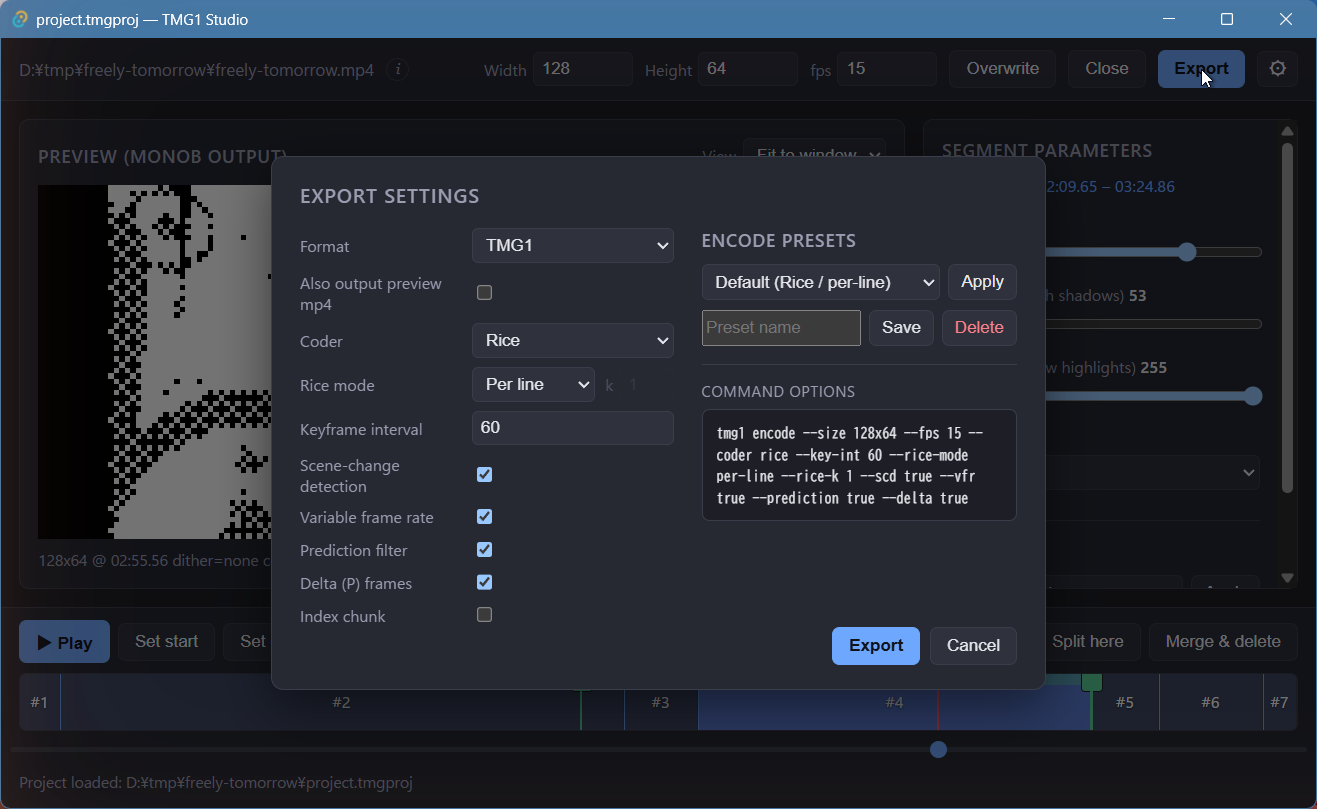
Settings
| Setting | Meaning |
|---|---|
| Format | RAW, TMG1, or TMG1 & RAW (see below). |
| Also output preview mp4 | Additionally writes <name>.preview.mp4, a 6× nearest-neighbour upscale for eyeballing on a normal display. Off by default. |
| Coder | Entropy coder used by the tmg1 encoder. |
| Rice mode | Rice parameter scope: per line, per frame, or fixed k. |
| Keyframe interval | Maximum distance between keyframes. |
| Scene-change detection | Insert keyframes on scene changes. |
| Variable frame rate | Drop duplicate frames (VFR). |
| Prediction filter | Enable the prediction filter. |
| Delta (P) frames | Encode inter-frame deltas. |
| Index chunk | Write a seek index chunk. |
Encode presets save and re-apply encoder settings, and Command
options previews the exact tmg1 encode command line that will run.
Formats
| Format | Output |
|---|---|
| RAW | <name>.raw — packed 1-bit monob frames. Encode to TMG1 later with tmg1-cli encode. |
| TMG1 | <name>.tmg1 — the raw encoded to TMG1. Studio runs the tmg1 CLI for you; no separate encode step. |
| TMG1 & RAW | Both of the above. |
Running the export
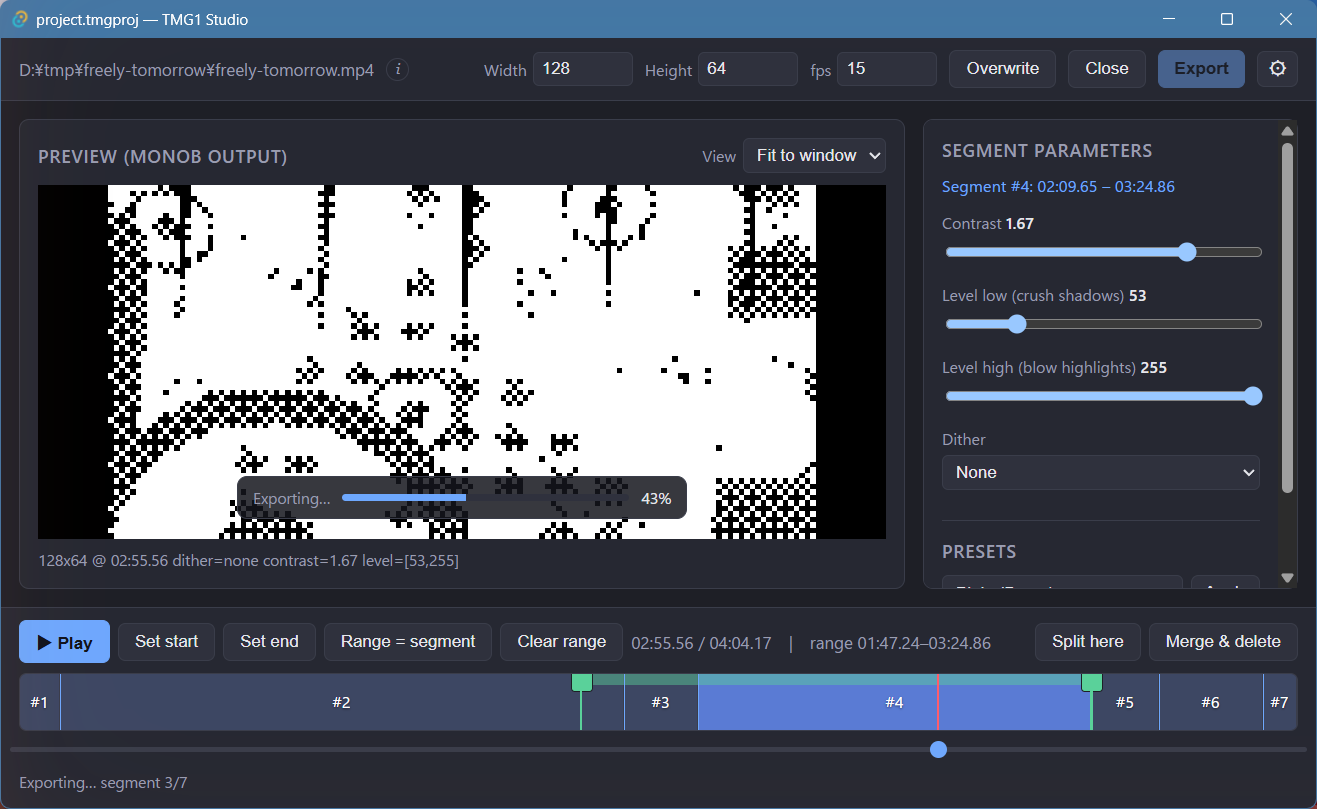
Progress is shown over the preview while each segment renders:
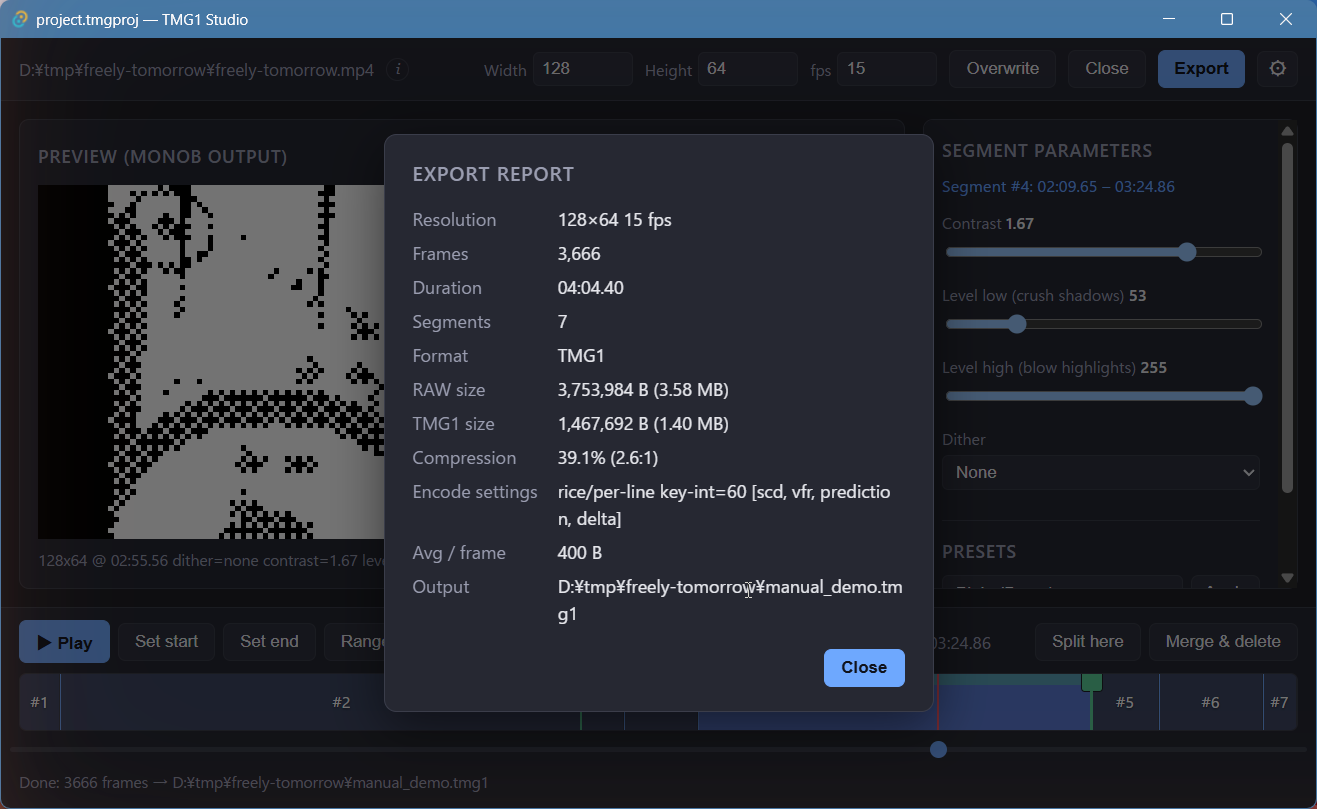
Export report
When the export finishes, a report summarizes the result — resolution, frame count, duration, segment count, format, RAW/TMG1 sizes, compression ratio, encode settings, average bytes per frame, and the output path: